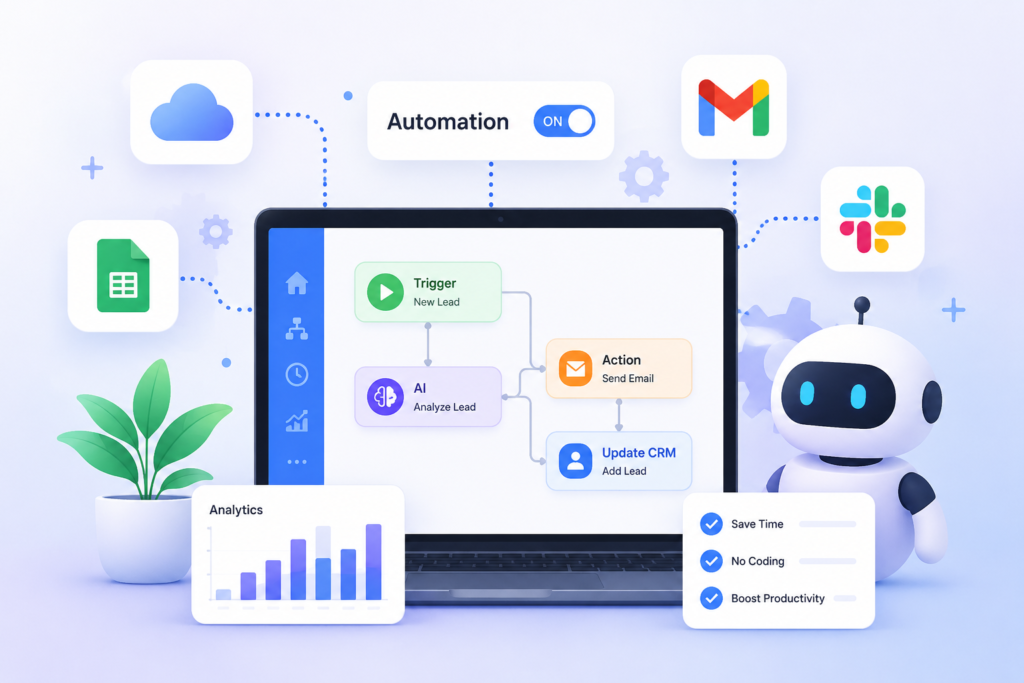
Free AI Automation Tools Without Coding 10 Best Tools in 2026, Artificial intelligence is changing the way people manage everyday tasks, run businesses, create content, and organize their work. Previously, automation required programming skills, technical knowledge, or expensive software. Today, anyone can use free AI automation tools without coding to simplify repetitive tasks, save time, and improve productivity without writing a single line of code.
Whether you are a freelancer, student, small business owner, blogger, content creator, or office worker, no-code AI automation tools can help you automate everyday activities. From sending emails and managing social media to organizing information and connecting different apps, these tools make automation accessible to beginners.
The best part is that many platforms offer free plans, allowing users to explore AI automation without spending money. In this guide, we will explore the best free AI automation tools without coding, their features, benefits, limitations, and how you can start using them in 2026.
What Are Free AI Automation Tools Without Coding?
Free AI automation tools without coding are software platforms that allow users to automate tasks using visual interfaces, templates, simple instructions, or drag-and-drop workflows instead of programming languages.
These tools can connect different applications and perform actions automatically when specific conditions are met.
For example, you could create an automation that:
-
Automatically saves email attachments to cloud storage.
-
Sends notifications when a new form is submitted.
-
Organizes information collected from online forms.
-
Creates tasks from new emails.
-
Generates AI-powered content drafts.
-
Connects multiple applications to simplify daily work.
No-code automation platforms make these workflows easier to build, even for people with no technical background.
Why Use Free AI Automation Tools Without Coding?
Automation is no longer limited to large companies or professional developers. Individuals and small businesses can use accessible tools to reduce manual work and improve efficiency.
1. Save Time on Repetitive Tasks
Many people spend hours performing repetitive activities such as copying information, organizing files, replying to basic messages, and updating spreadsheets.
AI automation tools can perform these tasks automatically, giving users more time to focus on creative and important work.
2. No Programming Skills Required
Most no-code automation platforms use visual builders, simple triggers, templates, and action steps. Beginners can create workflows without learning JavaScript, Python, or other programming languages.
3. Reduce Everyday Workload
Freelancers, bloggers, marketers, and business owners can automate multiple processes. Instead of manually moving information between applications, automation workflows can handle repetitive operations.
4. Start Without Spending Money
Many platforms provide free tiers, trials, or limited monthly automation credits. These free plans are useful for testing workflows, learning automation, and building simple systems before upgrading.
10 Best Free AI Automation Tools Without Coding in 2026
Here are some useful platforms for beginners who want to start automating tasks without programming knowledge.
1. Zapier
Best for beginners and app integrations
Zapier is one of the most popular automation platforms for connecting different online applications. Its visual workflow system allows users to create automated processes called Zaps.
A Zap generally includes a trigger and one or more actions. When a specific event occurs in one application, Zapier automatically performs another action in a connected application.
For example, you can create a workflow that sends information from a contact form to a Google Sheets spreadsheet. You can also connect email services, project management tools, marketing applications, and many other platforms.
Zapier also offers AI-related integrations that help users incorporate AI services into their workflows.
Key features:
-
Connect thousands of supported applications.
-
Create automated workflows using triggers and actions.
-
Use templates for common automation tasks.
-
Connect AI services to supported workflows.
-
Build simple automations without programming.
Free plan: Zapier offers a free tier, although task limits and advanced features may change.
2. Make
Best for visual automation workflows
Make is a powerful automation platform that allows users to build workflows visually. It is particularly useful for people who want more control over how applications communicate with each other.
Instead of using a simple linear workflow, Make lets users build scenarios containing multiple steps, conditions, branches, and connections.
You can use Make to automate business processes, manage data, connect applications, and build AI-assisted workflows.
For example, a content creator could create a workflow that receives a new content idea, stores it in a database, and sends a notification when the task is ready for review.
Key features:
-
Visual workflow builder.
-
Connect multiple applications.
-
Build conditional automation scenarios.
-
Integrate supported AI services.
-
Create multi-step automation workflows.
Free plan: Make offers a free plan with limited credits and features. Its free tier is useful for testing basic and intermediate automation workflows.
3. n8n
Best for flexible AI workflows
n8n is a workflow automation platform designed for connecting applications, APIs, databases, and AI services. It provides a visual interface that allows users to create automation workflows.
Although n8n can be used by developers, beginners can also use its visual workflow builder and templates.
Users can connect different services, process information, and create advanced workflows. Its AI capabilities make it useful for building AI-powered assistants and automation systems.
For example, users may create workflows that analyze incoming information, summarize content, or route messages to different destinations.
Key features:
-
Visual workflow builder.
-
AI workflow integrations.
-
Multiple workflow nodes.
-
Customizable automation.
-
Community templates.
Free plan: n8n provides options that may include self-hosting and limited cloud trials. Self-hosting can be free in software cost, but hosting, setup, and maintenance may require technical knowledge.
Best for simple everyday automations
IFTTT is an automation platform that connects supported applications, services, and smart devices.
Its simple approach makes it accessible to people who want to automate basic tasks without complicated workflow builders.
IFTTT works through applets, which generally combine a trigger with an action. When one event happens, another action can occur automatically.
For example, you might create an automation that sends a notification when a supported service publishes new content.
Key features:
-
Beginner-friendly automation.
-
Simple trigger-and-action workflows.
-
Connect supported services.
-
Smart home automation.
-
Prebuilt automation applets.
Free plan: IFTTT has offered a free tier with restrictions on the number of applets and available features.
5. Microsoft Power Automate
Best for Microsoft users
Microsoft Power Automate helps users automate tasks across supported Microsoft products and other connected services.
It is particularly useful for people who already work with Microsoft 365, Outlook, Excel, Teams, and related applications.
Users can create automated workflows, scheduled processes, and certain desktop automations through visual tools.
For example, a user could automate notifications, organize data, or create workflows triggered by specific events.
Key features:
-
Automated cloud workflows.
-
Integration with Microsoft services.
-
Templates for common tasks.
-
Desktop automation capabilities.
-
Visual workflow creation.
Free plan: Availability depends on the Microsoft account, product, trial, and licensing arrangements. Some features require paid plans or specific subscriptions.
6. Pabbly Connect
Best for connecting business applications
Pabbly Connect helps users connect applications and automate workflows without writing code.
Its interface allows users to select triggers, actions, and workflow steps. It can be useful for businesses, marketers, and freelancers who need to transfer information between different applications.
Users can explore integrations for email marketing, CRM systems, forms, spreadsheets, and other business services.
Key features:
-
No-code workflow builder.
-
Application integrations.
-
Multi-step workflows.
-
Automation templates.
-
Data transfer between connected apps.
Free plan: Pabbly Connect may provide free access or introductory options depending on current offers and account eligibility.
7. Airtable Automations
Best for organizing and automating data
Airtable combines spreadsheet-style data management with database features and automation capabilities.
Users can organize projects, customer information, content calendars, business records, and other information in structured tables.
Airtable automations can perform actions when specific events occur within a database.
For example, you could create an automation that sends a notification when a new record is added or when a project changes its status.
Key features:
-
Spreadsheet-style database.
-
Visual data organization.
-
Automation triggers and actions.
-
Content management.
-
Team collaboration.
Free plan: Airtable offers a free plan with usage and feature restrictions, which may be sufficient for small projects.
8. Google Apps Script and Gemini-Assisted Workflows
Best for Google Workspace productivity
Google Workspace tools such as Gmail, Google Sheets, Google Forms, and Google Drive can help users automate simple tasks.
Some automation workflows can be created using built-in features, templates, integrations, and AI-assisted instructions. Google Apps Script is also useful for automation, although it involves coding.
Beginners who want to avoid coding should focus on built-in automation features and third-party no-code connectors instead of relying on Apps Script.
For example, you can connect Google Forms to Google Sheets, organize collected information, and use supported automation services to send notifications.
Key features:
-
Google Workspace integrations.
-
Form and spreadsheet automation.
-
Data organization.
-
AI-assisted productivity.
-
Third-party no-code connections.
Free plan: Many Google tools offer free access for personal accounts, but AI and advanced automation features may require additional subscriptions.
9. Trello Automation
Best for task and project management
Trello is a visual project management platform that helps users organize tasks through boards, lists, and cards.
Its built-in automation features, commonly associated with Butler, allow users to create rules and actions for managing tasks.
For example, you can automatically move cards between lists, assign tasks, set due dates, or create repetitive actions based on board activity.
Trello automation is useful for bloggers, freelancers, teams, and small businesses that need a simple way to manage projects.
Key features:
-
Visual project boards.
-
Automated task management.
-
Rules and scheduled actions.
-
Workflow templates.
-
Collaboration features.
Free plan: Trello provides a free plan, although automation limits and other features depend on its current pricing structure.
10. HubSpot Automation Tools
Best for marketing and customer management
HubSpot provides tools for managing customer information, sales activities, marketing processes, and communication.
Its CRM features can help users organize contacts, manage customer relationships, and simplify certain repetitive processes.
HubSpot also provides AI-powered features and automation capabilities, although access to advanced workflows may depend on the product and subscription level.
For beginners, its free CRM tools can be useful for organizing leads and tracking business interactions.
Key features:
-
Contact management.
-
CRM organization.
-
Marketing-related tools.
-
Customer activity tracking.
-
AI-powered features in supported products.
Free plan: HubSpot provides free CRM tools, but more advanced automation features may require paid subscriptions.
Comparison of Free AI Automation Tools Without Coding
| Tool | Best Use | Beginner-Friendly |
|---|---|---|
| Zapier | App integrations | Yes |
| Make | Visual workflows | Yes |
| n8n | Advanced AI workflows | Moderate |
| IFTTT | Simple automation | Yes |
| Power Automate | Microsoft workflows | Yes |
| Pabbly Connect | Business integrations | Yes |
| Airtable | Database automation | Yes |
| Google Workspace | Productivity workflows | Yes |
| Trello | Task management | Yes |
| HubSpot | CRM and marketing | Yes |
Free-plan limits, features, and availability may change. Always check each platform’s official pricing page before building a workflow around a specific free allowance.
How to Start Using AI Automation Without Coding
Starting with automation is easier when you focus on one repetitive task instead of trying to automate everything at once.
Step 1: Identify a Repetitive Task
Choose a task you regularly perform. Examples include collecting leads, sending notifications, saving files, or organizing project information.
Step 2: Select the Right Tool
Choose a platform based on your requirements. Zapier is suitable for simple integrations, Make is useful for visual workflows, and Trello is helpful for task management.
Step 3: Select a Template
Many platforms provide prebuilt templates. These templates can help you create workflows faster without designing everything from scratch.
Step 4: Connect Your Applications
Connect the applications you want to use. Depending on the workflow, you may need to authorize access to email, spreadsheets, cloud storage, or other services.
Step 5: Test Your Automation
Test the workflow with sample information before using it for important tasks. Check whether triggers, actions, and data transfer work correctly.
Step 6: Monitor the Workflow
Automation is not always perfect. Review your workflows regularly, especially when applications change their interfaces, permissions, or features.
Are Free AI Automation Tools Without Coding Worth It?
Yes, free AI automation tools without coding can be useful for people who want to improve productivity without investing in expensive software.
However, free plans generally come with limitations. These may include monthly automation limits, restricted integrations, fewer workflow steps, limited AI credits, or reduced access to advanced features.
For beginners, these limitations are not necessarily a problem. A free plan can help you learn automation, experiment with different workflows, and determine which processes are worth automating.
Small businesses and freelancers can also use free tools to test business ideas before investing in professional automation solutions.
Frequently Asked Questions (FAQs)
1. What are the best free AI automation tools without coding?
Zapier, Make, IFTTT, Trello, Airtable, and n8n are popular options for creating automation workflows without programming. The best choice depends on the tasks you want to automate.
2. Can I automate tasks without programming knowledge?
Yes. Many automation platforms use visual builders, templates, triggers, and actions. Beginners can create workflows without learning programming languages.
3. Are AI automation tools completely free?
Not all tools are completely free. Some offer free plans, trials, limited credits, or free self-hosting options. Advanced features and larger automation workloads may require paid subscriptions.
4. Which AI automation tool is best for beginners?
Zapier and IFTTT are generally good starting points for simple workflows. Make is also a useful option if you want to learn more advanced visual automation.
5. Can I use AI automation tools for blogging?
Yes. Bloggers can automate content planning, notifications, research organization, social media scheduling through supported integrations, and other repetitive tasks. AI-generated content should still be reviewed and edited before publishing.
6. Do no-code AI automation tools require technical skills?
Most basic workflows do not require technical skills. However, advanced automation involving APIs, custom data processing, or complex integrations may require additional knowledge.
7. Can AI automation tools help small businesses?
Yes. Small businesses can use automation for lead management, notifications, customer organization, reporting, task management, and other repetitive operations.
Conclusion
Free AI automation tools without coding are making automation accessible to individuals, freelancers, bloggers, and businesses that do not have programming skills. These platforms help users connect applications, simplify repetitive tasks, organize information, and improve productivity.
Zapier, Make, n8n, IFTTT, Power Automate, Pabbly Connect, Airtable, Google Workspace, Trello, and HubSpot are useful options to explore in 2026.
The best approach is to start with one simple workflow, test a free tool, and gradually build more automation as your needs grow. You do not need to be a developer to benefit from automation. With the right platform, even beginners can create useful workflows and spend less time on repetitive tasks.