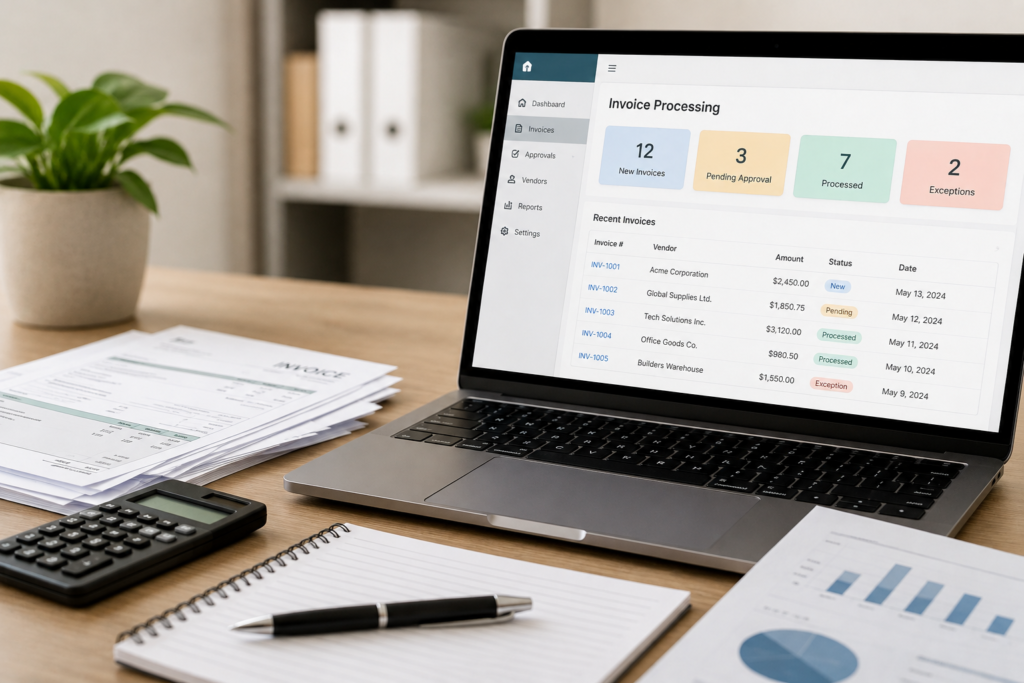
Managing invoices manually can take a significant amount of time, especially for businesses that receive hundreds of invoices every month. Employees often need to open PDF files, extract information, check payment details, enter data into accounting systems, and send invoices for approval. These repetitive tasks can lead to delays, mistakes, and unnecessary administrative work.
Fortunately, AI invoice processing automation software is changing how businesses handle financial documents. Modern AI-powered platforms can read invoices, extract important information, identify errors, organize financial records, and support automated approval workflows. Instead of manually processing every document, businesses can use intelligent software to simplify invoice management.
In 2026, AI invoice processing automation software is becoming increasingly useful for freelancers, accounting teams, small businesses, enterprises, and finance professionals. These tools can improve productivity, reduce manual data entry, and make invoice processing more organized.
In this guide, we will explore how AI invoice processing automation software works, its key features, benefits, best tools, and how businesses can choose the right solution.
What Is AI Invoice Processing Automation Software?
AI invoice processing automation software is a digital solution that uses artificial intelligence, optical character recognition (OCR), machine learning, and workflow automation to process invoices with less manual effort.
Traditional invoice processing usually involves employees reading documents and entering information into accounting systems. AI-powered software can automatically identify invoice details, including supplier names, invoice numbers, dates, tax amounts, payment terms, and total costs.
The software can then transfer this information into connected systems, helping businesses manage their financial records more efficiently.
For example, when a company receives an invoice through email, its AI invoice processing automation software may automatically detect the document, extract the required information, compare it with purchase records, and send it to the appropriate employee for approval.
The level of automation depends on the platform, integrations, and business configuration.
How Does AI Invoice Processing Automation Work?
AI invoice processing automation software generally follows a structured workflow to manage incoming invoices.
1. Invoice Collection
The software collects invoices from supported sources such as email inboxes, cloud storage, document uploads, supplier portals, and scanned files.
2. Data Extraction
AI and OCR technologies identify important information inside invoice documents. This may include supplier details, invoice dates, tax amounts, item descriptions, and payment totals.
3. Invoice Classification
The software categorizes invoices based on suppliers, departments, expenses, accounting categories, or other configured rules.
4. Data Validation
Automated checks can compare invoice information against purchase orders, supplier records, and other available financial information. Some systems identify missing details, unusual amounts, duplicate documents, or potential errors.
5. Approval Workflow
Invoices can be forwarded to the appropriate managers or finance employees for review. Businesses can configure approval rules based on invoice amounts, departments, suppliers, or other conditions.
6. Accounting Integration
After processing and approval, invoice information can be transferred to supported accounting or enterprise resource planning systems.
7. Payment Tracking
Depending on the software, businesses can track payment status, organize outstanding invoices, and create reminders for upcoming payment deadlines.
10 Best AI Invoice Processing Automation Software in 2026
1. Dext
Best for document collection and bookkeeping
Dext is a document-processing platform designed to help businesses and accountants manage receipts, invoices, and financial information.
It can help users capture documents, extract financial information, and organize records for accounting purposes. Businesses can reduce manual data entry by collecting documents digitally and transferring extracted information into supported accounting systems.
Dext can be useful for accountants, bookkeepers, freelancers, and small businesses that regularly manage financial documents.
Key features:
-
Receipt and invoice data extraction.
-
Digital document collection.
-
Expense organization.
-
Accounting integrations.
-
Document management.
2. BILL
Best for accounts payable workflows
BILL provides financial workflow solutions for managing bills, invoices, approvals, and payments.
Its platform is designed to help businesses organize accounts payable processes and reduce manual work associated with invoice management.
Businesses can use BILL to manage invoice approvals, organize financial documents, and support payment workflows.
Key features:
-
Invoice management.
-
Approval workflows.
-
Accounts payable automation.
-
Payment management.
-
Accounting integrations.
3. Rossum
Best for AI document data extraction
Rossum focuses on intelligent document processing for businesses that handle large volumes of invoices and other financial documents.
Its AI-powered technology can extract information from documents and help organizations reduce repetitive data-entry work.
Rossum may be particularly useful for finance departments, enterprise teams, and companies with complex document-processing requirements.
Key features:
-
AI-powered document extraction.
-
Invoice data processing.
-
Document validation.
-
Workflow automation.
-
Business system integrations.
4. Tipalti
Best for growing and global businesses
Tipalti offers financial automation solutions designed to support accounts payable, supplier management, invoice processing, and payment operations.
Businesses that work with multiple suppliers or operate internationally may find its financial workflow capabilities useful.
Key features:
-
Invoice processing.
-
Supplier onboarding.
-
Accounts payable management.
-
Payment workflows.
-
Financial integrations.
5. Stampli
Best for invoice communication and approvals
Stampli helps businesses organize accounts payable workflows through invoice management, communication, and approval processes.
Its automation capabilities can help teams reduce administrative work and keep invoice-related communication organized.
Businesses can use it to coordinate invoice reviews, manage approvals, and support financial document processing.
Key features:
-
Invoice automation.
-
Approval workflows.
-
Invoice-related communication.
-
Accounting integrations.
-
Accounts payable management.
6. Zoho Books
Best for small businesses
Zoho Books is an accounting platform that helps businesses manage invoices, expenses, financial records, and business transactions.
It offers tools for invoice creation, accounting organization, and workflow management. Businesses already using Zoho applications may benefit from its connected ecosystem.
Key features:
-
Invoice creation and management.
-
Expense tracking.
-
Accounting records.
-
Workflow automation features.
-
Integration with other Zoho products.
7. QuickBooks
Best for small business accounting
QuickBooks is a widely used accounting platform for small businesses and financial professionals.
It offers invoice management, bookkeeping, expense tracking, and other accounting features. AI-assisted capabilities and automation options can help users organize financial information and reduce repetitive administrative work.
Key features:
-
Invoice management.
-
Accounting and bookkeeping.
-
Expense organization.
-
Financial reporting.
-
Automation and AI-assisted capabilities.
8. Xero
Best for cloud-based accounting
Xero provides accounting tools for managing invoices, financial transactions, business expenses, and cash flow.
Its connected accounting ecosystem can help businesses organize financial information and reduce repetitive bookkeeping activities.
Key features:
-
Invoice management.
-
Accounting tools.
-
Expense management.
-
Financial reporting.
-
Connected business integrations.
9. FreshBooks
Best for freelancers and service providers
FreshBooks is designed for freelancers, contractors, and service-based businesses that need accessible invoicing and accounting tools.
Users can create invoices, track expenses, manage client payments, and organize financial records.
FreshBooks is particularly useful for professionals who want to simplify billing and bookkeeping without using complicated accounting systems.
Key features:
-
Invoice creation.
-
Client management.
-
Expense tracking.
-
Payment tracking.
-
Accounting tools.
10. Make
Best for custom invoice automation workflows
Make allows users to connect applications and build automated workflows using a visual interface.
Businesses can use Make to connect supported invoice-related applications, cloud storage, spreadsheets, email services, and AI tools.
For example, a workflow could collect an invoice from a supported source, send document information to an AI extraction service, organize extracted data in a spreadsheet, and notify a finance employee.
However, the accuracy and reliability of such workflows depend on the connected services, setup, and validation rules.
Key features:
-
Visual workflow automation.
-
AI integrations.
-
Email and spreadsheet connections.
-
Custom workflows.
-
No-code automation options.
For broader invoice automation comparisons, dedicated accounting platforms and workflow automation services can serve different needs, depending on whether users want ready-made financial features or custom integrations.
AI:PRODUCTIVITY
Key Benefits of AI Invoice Processing Automation Software
Businesses can experience several benefits by implementing AI invoice processing automation software into their financial workflows.
1. Faster Invoice Processing
AI-powered systems can extract invoice information automatically, reducing the time employees spend manually entering financial details.
2. Fewer Data Entry Mistakes
Automated extraction and validation can reduce common manual entry mistakes. However, businesses should review important financial information because AI may occasionally misread documents.
3. Better Financial Organization
Digital invoice management makes it easier to organize documents, find financial records, and track payment information.
4. Improved Approval Processes
Automated workflows can send invoices to the appropriate employees, helping businesses reduce approval delays and improve internal coordination.
5. Lower Administrative Workload
Employees can spend less time handling repetitive invoice tasks and more time on financial analysis, planning, and other important business activities.
6. Better Visibility Into Expenses
Businesses can organize invoice information to monitor spending, review supplier costs, and identify financial patterns.
How to Choose the Right AI Invoice Processing Automation Software
Selecting the right software depends on your business size, invoice volume, budget, and accounting requirements.
-
Invoice volume: Choose a tool that can handle your monthly document-processing requirements.
-
Integration options: Check whether the software connects with your accounting system, email, ERP, and other applications.
-
AI accuracy: Evaluate how accurately the platform extracts invoice information.
-
Approval workflows: Look for approval features that match your business structure.
-
Security: Review access controls, encryption, data handling, and security policies.
-
Pricing: Compare subscription costs, document limits, user limits, and additional fees.
-
Ease of use: Choose a platform that employees can learn and use without unnecessary complexity.
Before selecting a platform, test it using real invoice examples with sensitive information appropriately protected.
Frequently Asked Questions (FAQs)
1. What is AI invoice processing automation software?
AI invoice processing automation software uses artificial intelligence and document-processing technologies to extract, organize, validate, and manage invoice information with less manual effort.
2. What is the best AI invoice processing automation software in 2026?
Dext, BILL, Rossum, Tipalti, Stampli, Zoho Books, QuickBooks, Xero, FreshBooks, and Make are worth exploring. The best option depends on your invoice volume, business requirements, budget, and integrations.
3. Can AI automatically extract information from invoices?
Yes. AI-powered invoice software can extract information such as invoice numbers, supplier names, dates, tax amounts, line items, and totals from supported documents. Extraction accuracy can vary.
4. Is AI invoice processing software suitable for small businesses?
Yes. Small businesses can use invoice automation to simplify bookkeeping, organize documents, manage approvals, and reduce repetitive administrative work.
5. Can AI invoice processing software detect duplicate invoices?
Some platforms can identify potential duplicate invoices by comparing information such as invoice numbers, suppliers, dates, and amounts. Businesses should review flagged documents before making financial decisions.
6. Does AI invoice processing software integrate with accounting tools?
Many platforms integrate with accounting software, ERP systems, spreadsheets, and other business applications. Integration availability depends on the specific software and subscription plan.
7. Is AI invoice processing automation secure?
Security depends on the platform. Businesses should review encryption, permissions, data retention policies, compliance information, and access controls before uploading sensitive financial documents.
Conclusion
AI invoice processing automation software is helping businesses simplify financial document management and reduce repetitive accounting tasks. By using AI-powered data extraction, invoice validation, automated approvals, and accounting integrations, businesses can improve the efficiency of their invoice workflows.
Tools such as Dext, BILL, Rossum, Tipalti, Stampli, Zoho Books, QuickBooks, Xero, FreshBooks, and Make offer different approaches to invoice automation.
The right solution depends on your financial requirements, business size, budget, and existing software. Start by identifying the most time-consuming invoice tasks, test an appropriate platform, and gradually introduce automation into your financial processes. As AI technology continues to improve, invoice automation is likely to become an increasingly valuable part of modern business accounting.