The internet is full of tasks that take time, including researching information, filling out online forms, checking websites, collecting data, comparing products, and managing repetitive workflows. In 2026, AI browser agents are making these activities easier by allowing users to automate many tasks through simple instructions.
AI Browser Agents for Web Tasks are intelligent tools that can interact with websites, navigate pages, click buttons, type information, collect data, and complete multi-step activities. Unlike traditional chatbots that primarily generate text, browser agents can perform actions inside a browser and work toward completing a specific goal.
For freelancers, students, marketers, business owners, researchers, and remote workers, these tools can save valuable time. Instead of manually completing every step, users can instruct an AI agent to perform a workflow and review the results. In this guide, we explore seven AI browser agents for web tasks in 2026, including their features, benefits, limitations, and practical applications.
What Are AI Browser Agents?
AI Browser Agents for Web Tasks are AI-powered systems designed to interact with websites and browser interfaces. They can interpret natural-language instructions, identify webpage elements, navigate websites, and perform actions with varying levels of autonomy.
For example, you can ask an AI browser agent to find five competitors, visit their websites, collect their pricing information, and organize the findings into a report.
A typical browser agent follows a process:
-
Understand: Interpret the user’s instruction.
-
Plan: Break the task into smaller actions.
-
Navigate: Open websites and interact with their interfaces.
-
Observe: Review the results of each action.
-
Complete: Finish the task and report the outcome.
These capabilities make AI browser agents useful for many everyday online activities.
7 AI Browser Agents for Web Tasks in 2026
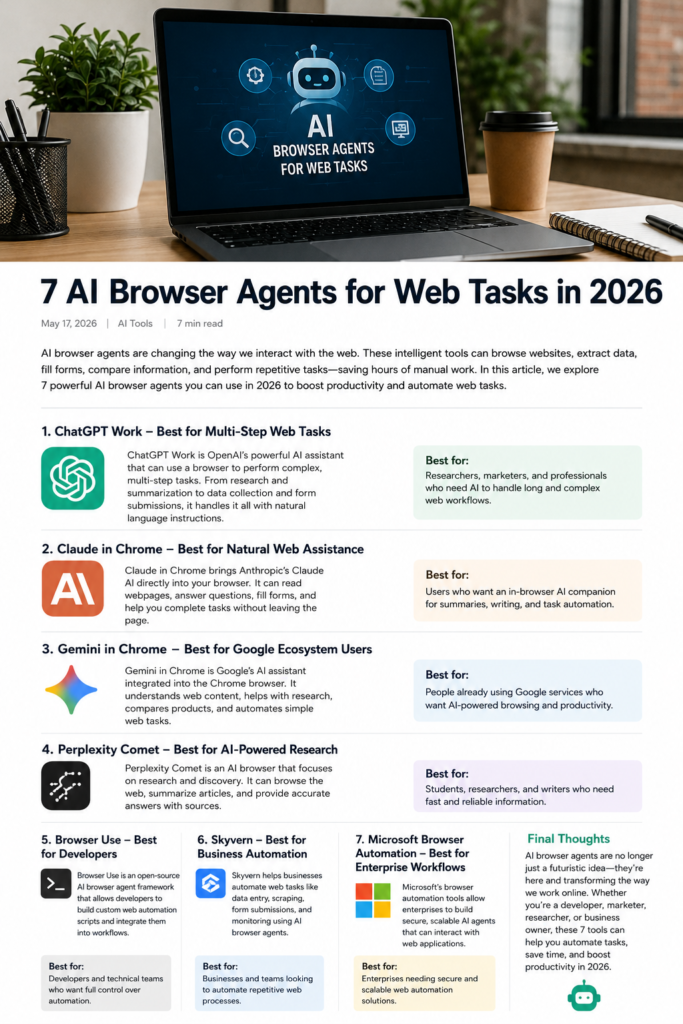
1. ChatGPT Work – Best for Multi-Step Web Tasks
ChatGPT Work is a useful option for people who want AI to handle complex online tasks, research, and multi-step workflows. It can work with files, research information, navigate supported websites, and interact with a cloud-based browser.
Instead of manually opening dozens of webpages, users can provide an instruction describing the desired result. The agent can work through multiple steps, gather information, and help produce a finished output.
Key features:
-
Navigate supported websites through a cloud browser.
-
Perform multi-step web research.
-
Interact with webpages, buttons, and forms.
-
Work with uploaded files and information.
-
Help complete complex workflows.
Best use cases: Online research, business tasks, data collection, website workflows, and document preparation.
ChatGPT Work is particularly useful when a task involves multiple steps that would otherwise require manually switching between websites and files. Availability depends on the plan and supported features.
2. Claude in Chrome – Best for Working Inside Chrome
Claude in Chrome allows users to work with AI directly inside their Chrome browser. It can understand webpage content and interact with websites while helping users complete repetitive browser activities.
Rather than copying website information into a chatbot, users can give Claude instructions while working inside Chrome. It can help navigate webpages, interact with page elements, and complete tasks that involve multiple steps.
Key features:
-
Browser interaction directly inside Chrome.
-
Assistance with multi-step website tasks.
-
Help with repetitive workflows.
-
Interaction with webpages and tabs.
-
Support for reviewing and completing browser activities.
Best use cases: Online research, administrative work, website navigation, repetitive tasks, and productivity workflows.
Claude in Chrome is a practical option for people who already use Chrome regularly and want an AI assistant to help them work within their existing browsing environment.
3. Gemini in Chrome – Best for Google Users
Gemini in Chrome brings AI assistance and browser automation capabilities into Google’s Chrome ecosystem. It is designed to help users understand webpages, work with browsing context, and complete supported tasks.
Google’s browser AI features are becoming more useful for people who already rely on Chrome and other Google services for everyday work.
Key features:
-
AI assistance within Chrome.
-
Contextual help with webpages.
-
Supported automated browser workflows.
-
Assistance with information from multiple tabs.
-
Integration with Google’s AI ecosystem.
Best use cases: Research, webpage summaries, information gathering, browsing assistance, and Google-focused workflows.
Gemini in Chrome can be helpful when you regularly work with online documents, research sources, websites, and multiple browser tabs. Some advanced automation features may require eligible Google AI plans and supported regions.
4. Perplexity Comet – Best for Research and Browsing
Perplexity Comet is an AI-powered browser designed to combine traditional web browsing with AI research and assistance. It can help users understand webpage content, ask questions about information they are viewing, and support browser-based tasks.
Comet is particularly interesting for people who frequently research topics and need an AI assistant while exploring websites.
Key features:
-
AI-assisted browsing.
-
Webpage understanding and summarization.
-
Research assistance.
-
Browser-based AI conversations.
-
Assistance with supported online activities.
Best use cases: Content research, competitor analysis, reading articles, comparing online information, and exploring websites.
For bloggers, marketers, freelancers, and researchers, Perplexity Comet can simplify the process of gathering information from multiple webpages. Its availability and agent capabilities may vary depending on the feature and account.
5. Browser Use – Best for Developers and Automation
Browser Use is an AI-powered browser automation framework that helps developers build agents capable of interacting with websites.
It is especially useful for developers who want to automate web workflows programmatically. Rather than relying only on a ready-made browser assistant, developers can use Browser Use to create automation systems that navigate websites, read information, and perform actions.
Key features:
-
AI-powered browser automation.
-
Website navigation and interaction.
-
Support for developer-built workflows.
-
Open-source framework.
-
Cloud browser options.
Best use cases: Web scraping workflows, website testing, automation projects, data collection, and custom AI agents.
Browser Use is more suitable for technical users and developers who want flexibility and control over their automation workflows rather than a simple consumer browser assistant.
6. Skyvern – Best for Business Web Automation
Skyvern is an AI-powered browser automation platform that helps businesses automate tasks across websites. It is designed to handle workflows that involve navigation, data extraction, form completion, and repetitive online activities.
Skyvern is useful for businesses that need more than simple browser assistance. It can be used to build automation workflows that interact with web applications and online systems.
Key features:
-
AI-driven browser automation.
-
Web form completion.
-
Data extraction from websites.
-
Automated workflows.
-
Self-hosted and cloud options.
Best use cases: Business operations, repetitive web tasks, data entry, web research, and administrative automation.
Businesses can use Skyvern to reduce manual work in repetitive browser-based processes. However, complex workflows may still require troubleshooting, testing, and human supervision.
7. Microsoft Browser Automation – Best for Business Workflows
Microsoft Foundry Browser Automation is designed for developers and organizations building AI agents that interact with websites.
Microsoft’s browser automation capabilities can help AI agents navigate webpages, inspect website content, complete forms, and perform multi-step tasks. This approach is particularly useful for organizations that want to integrate browser automation into larger business workflows.
Key features:
-
Managed browser infrastructure.
-
AI agent browser interaction.
-
Webpage navigation and data extraction.
-
Multi-step workflow automation.
-
Enterprise-focused development capabilities.
Best use cases: Business portals, internal websites, web-based administration, automated data collection, and enterprise workflows.
Microsoft Foundry is more suitable for developers and organizations building custom AI agents than for users who simply want a ready-made browser extension.
Comparison of 7 AI Browser Agents
| AI Browser Agent | Best For | Main Advantage |
|---|---|---|
| ChatGPT Work | Multi-step web tasks | Cloud-based browser workflows |
| Claude in Chrome | Chrome users | Browser interaction |
| Gemini in Chrome | Google users | Chrome AI integration |
| Perplexity Comet | Web research | AI-assisted browsing |
| Browser Use | Developers | Flexible automation |
| Skyvern | Business automation | Repetitive web workflows |
| Microsoft Foundry | Enterprise developers | Managed browser automation |
How to Choose the Best AI Browser Agent
Choosing the best AI browser agent depends on your work, technical knowledge, and the tasks you want to automate.
-
For beginners: Choose Perplexity Comet if you want a simple AI-powered browsing experience.
-
For multi-step tasks: ChatGPT Work is worth considering for supported cloud-browser workflows.
-
For Chrome users: Claude in Chrome can help with activities inside your existing browser.
-
For Google users: Gemini in Chrome offers AI assistance within Google’s browser ecosystem.
-
For developers: Browser Use provides flexibility for building custom automation.
-
For businesses: Skyvern can help automate repetitive browser workflows.
-
For enterprise development: Microsoft Foundry offers managed browser automation capabilities.
Before choosing a tool, consider its pricing, supported websites, security features, automation limits, and whether it requires technical setup.
Are AI Browser Agents Safe?
AI Browser Agents for Web Tasks can save time, but they also introduce security risks. Because they interact with webpages, they may encounter misleading content, malicious instructions, or unexpected website behavior.
Some webpages may contain hidden instructions designed to manipulate AI agents. This risk is often referred to as prompt injection.
To use AI Browser Agents for Web Tasks more safely:
-
Avoid giving agents unnecessary access to sensitive accounts.
-
Review actions before sending emails or submitting forms.
-
Never allow unverified financial transactions.
-
Avoid sharing sensitive personal information.
-
Check the agent’s work before relying on its results.
-
Use restricted permissions whenever possible.
AI browser agents should assist with online tasks, not replace your judgment on sensitive activities.
Frequently Asked Questions (FAQs)
1. What are AI browser agents?
AI Browser Agents for Web Tasks are intelligent systems that can interact with websites, navigate webpages, click buttons, fill out forms, and perform supported online tasks using natural-language instructions.
2. Which is the best AI browser agent in 2026?
ChatGPT Work, Claude in Chrome, Gemini in Chrome, and Perplexity Comet are worth considering for everyday browser tasks. Developers may prefer Browser Use, while businesses may consider Skyvern or Microsoft Foundry.
3. Can AI browser agents automate web tasks?
Yes. AI Browser Agents for Web Tasks can automate supported activities such as collecting information, navigating websites, completing forms, comparing online data, and performing repetitive browser workflows.
4. Are AI browser agents free?
Some AI browser agents offer free access or open-source options. However, advanced features, cloud automation, usage limits, and developer services may require paid plans.
5. Can AI browser agents replace manual browsing?
AI Browser Agents for Web Tasks can reduce manual work for repetitive tasks, but they cannot reliably replace human supervision in every situation. Complex websites, security checks, unexpected errors, and sensitive actions may require human involvement.
6. Do AI browser agents require coding?
Most consumer browser agents do not require coding. However, developer tools such as Browser Use and Microsoft Foundry may require programming knowledge to build advanced automation workflows.
7. What can AI browser agents do for SEO?
AI browser agents can help SEO professionals research competitors, collect keyword-related information, inspect webpages, gather content ideas, monitor website changes, and assist with repetitive research workflows.
Conclusion
AI Browser Agents for Web Tasks are becoming valuable productivity tools in 2026. They help users automate repetitive online activities, gather information, navigate websites, and complete workflows with less manual effort.
Tools such as ChatGPT Work, Claude in Chrome, Gemini in Chrome, and Perplexity Comet are useful for everyday browsing and research. Meanwhile, Browser Use, Skyvern, and Microsoft Foundry provide more flexible automation options for developers and businesses.
The best AI browser agent depends on your needs. If you want simple browsing assistance, start with a consumer-focused tool. If you want to build complex automation workflows, consider developer-oriented platforms.
As AI browser technology continues to improve, these tools may become an increasingly important part of how people work, research, and manage online activities.