User-generated content (UGC) has become one of the most effective ways for brands to connect with online audiences. People often trust product demonstrations, customer-style reviews, and personal recommendations more than traditional advertisements. However, creating professional UGC videos can take time, money, and considerable effort. This is where artificial intelligence is changing the process.
A free AI UGC video generator helps creators, marketers, small businesses, and online store owners produce videos featuring AI-generated presenters, realistic voices, and product-focused scripts. Instead of hiring actors or recording multiple takes, users can create promotional videos using simple text prompts, images, or product descriptions.
In 2026, AI video technology offers more realistic avatars, improved lip synchronization, natural voices, and flexible editing options. Many platforms provide free plans or limited credits, making it easier for beginners to experiment before purchasing a subscription.
This guide explores seven useful AI UGC video tools, their features, advantages, limitations, and practical ways to use them.
What Is an AI UGC Video Generator?
An AI UGC video generator is a software tool that creates user-generated-content-style videos using artificial intelligence. These videos can feature virtual presenters, AI avatars, synthetic voices, captions, and product demonstrations.
Traditional UGC usually involves real customers or content creators recording themselves. AI-generated UGC recreates a similar presentation style using digital characters and automated video production.
For example, an online store selling skincare products can prepare a short script explaining product benefits. An AI platform can turn that script into a video featuring a virtual presenter.
A free AI UGC video generator is particularly useful for people who want to test this marketing format without immediately investing in expensive production services.
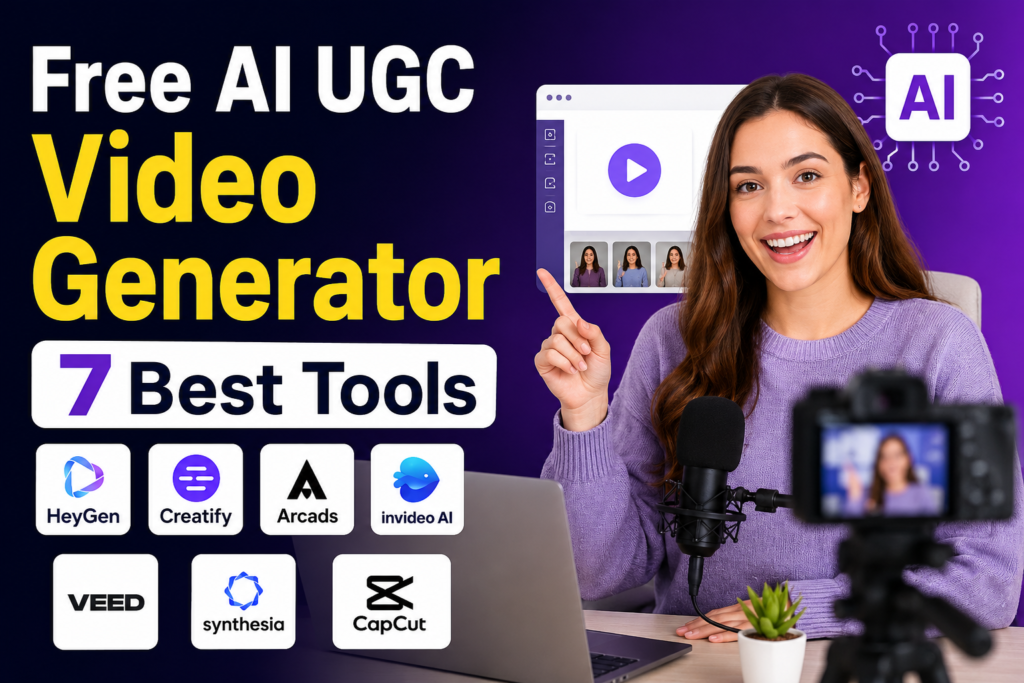
7 Best AI UGC Video Generator Tools in 2026
The following platforms offer different approaches to AI video creation. Free access, credits, watermarks, and export restrictions can change, so check each platform’s current pricing before starting a project.
1. HeyGen – AI Avatar Videos for Marketing
HeyGen is a popular AI video creation platform designed for businesses, marketers, and content creators. It allows users to create videos featuring digital presenters who speak from prepared scripts.
Its avatar technology makes it useful for product introductions, social media advertisements, tutorials, and promotional content.
Key Features:
- AI-generated presenters and avatars.
- Text-to-video creation.
- Multiple language and voice options.
- Lip synchronization.
- Customizable video scenes.
- Tools for business presentations.
Why Choose HeyGen?
HeyGen is useful when you need a presenter-style video without recording yourself. You can prepare a short product script, select an avatar, and generate a video.
Its free access may have limitations on credits, video duration, or downloads. It is worth testing before choosing a paid plan.
Website: https://www.heygen.com/
2. Creatify – AI Product Advertisement Videos
Creatify focuses on helping businesses create video advertisements using product information and online product links.
It can transform product details into promotional video concepts, making it useful for eCommerce businesses and digital marketers.
Key Features:
- AI advertisement generation.
- Product URL-to-video workflows.
- AI presenters and voiceovers.
- Marketing script generation.
- Multiple creative variations.
- Social media advertising formats.
Why Choose Creatify?
Creatify is particularly useful for online sellers who regularly promote different products. Instead of planning every video manually, users can use AI to develop advertising concepts.
Its free options may be limited by generation credits and available features.
Website: https://creatify.ai/
3. Arcads – AI UGC Advertising Content
Arcads is designed around AI-generated advertising videos that resemble creator-style promotional content.
It helps marketers produce presenter-based videos for advertising campaigns without arranging traditional video shoots.
Key Features:
- AI actors.
- Script-based video generation.
- Advertising-focused workflows.
- Different presenter styles.
- Product promotion videos.
- Creative testing options.
Why Choose Arcads?
Arcads is worth exploring if your main goal is creating short promotional videos that resemble social media creator advertisements.
However, users should check its current pricing and trial availability because free access may be restricted.
Website: https://www.arcads.ai/
4. InVideo AI – Create Videos from Text Prompts
InVideo AI makes video creation easier for people who prefer writing instructions instead of editing individual clips.
Users can describe a video idea, provide a script, or enter a topic. The platform can then help create scenes, voiceovers, and visual content.
Key Features:
- Text-to-video generation.
- AI script assistance.
- Voiceovers.
- Video templates.
- Stock media integration.
- Editing and customization tools.
Why Choose InVideo AI?
InVideo AI is a practical option for creators who want to produce promotional videos, explainers, and social media content.
Although it is not exclusively an AI UGC platform, its automated video creation features can support UGC-style marketing campaigns.
Website: https://invideo.io/
5. VEED – Online AI Video Editing and Creation
VEED is an online video editing platform that combines traditional editing features with AI-powered tools.
It is useful for creators who want to improve existing recordings or prepare short marketing videos with captions, voiceovers, and other visual elements.
Key Features:
- Automatic subtitles.
- AI voice generation.
- Video editing.
- Background removal.
- Templates and effects.
- Social media video formatting.
Why Choose VEED?
VEED is suitable for creators who already have product footage but want to make it more professional.
You can add captions, improve presentation, and prepare videos for platforms such as Instagram, TikTok, and YouTube Shorts.
Its free plan may include export limitations or watermarks.
Website: https://www.veed.io/
6. Synthesia – Professional AI Presenter Videos
Synthesia is an AI video platform that focuses on realistic digital presenters and professional communication.
It is commonly used for educational content, training videos, product explanations, and business presentations.
Key Features:
- AI avatars.
- Text-to-video generation.
- Multiple languages.
- Professional video templates.
- Script-based presentations.
- Voice and pronunciation options.
Why Choose Synthesia?
Synthesia is useful for businesses that need consistent presenter-based videos without recording new footage for every project.
Although it is more focused on professional presentations than traditional influencer-style UGC, it can also support product education and promotional content.
Website: https://www.synthesia.io/
7. CapCut – Easy Editing for UGC-Style Videos
CapCut is a widely used video editing application for social media creators. It offers editing features, templates, automatic captions, effects, and selected AI-powered tools.
Unlike specialized UGC generators, CapCut is particularly helpful for editing recorded content and turning it into engaging short videos.
Key Features:
- Automatic captions.
- Video templates.
- Text and effects.
- Background editing.
- Voiceover options.
- Social media-friendly formats.
Why Choose CapCut?
CapCut is a good option for beginners who want more control over the final video. You can combine product images, recorded clips, voiceovers, and captions to create a natural UGC-style advertisement.
Some AI features and templates may vary by region, device, and account.
Website: https://www.capcut.com/
Comparison of the Best AI UGC Video Tools
| Tool | Best For | Main Strength |
|---|---|---|
| HeyGen | AI presenters | Realistic avatars |
| Creatify | Product ads | Product-to-video workflow |
| Arcads | UGC advertisements | AI actors |
| InVideo AI | Text-to-video | Automated production |
| VEED | Video editing | Captions and editing |
| Synthesia | Business videos | Professional avatars |
| CapCut | Social content | Easy editing |
Not every platform provides unlimited free video generation. Some offer free credits, while others restrict exports, resolution, or advanced features.
How to Create a UGC Video Using AI
Creating a promotional video with AI does not require advanced editing experience. Most platforms follow a straightforward workflow.
Step 1: Choose a Product
Start with a product or service you want to promote. It could be skincare, clothing, electronics, software, or a digital service.
Understand the product’s main benefits and the audience you want to reach.
Step 2: Write a Natural Script
Prepare a short script that sounds conversational instead of overly promotional.
For example:
“I recently started using this product, and one thing I really like is how easy it is to use. It offers useful features without making the experience complicated.”
Only use personal-experience language when it accurately represents a real person’s experience. AI-generated presenters should not be presented as genuine customers.
Step 3: Select an AI Presenter
Choose an avatar or presenter that matches your target audience and brand identity.
Consider voice, appearance, language, and presentation style.
Step 4: Generate the Video
Enter your script into the selected platform. Choose the available voice, background, and video format.
A free AI UGC video generator can simplify this process by turning written content into a presenter-led video.
Step 5: Add Captions and Product Images
Add relevant product images, subtitles, branding, and supporting visuals.
Captions are particularly important because many social media users watch videos without sound.
Step 6: Export and Publish
Preview the video before publishing. Check pronunciation, captions, product details, and visual quality.
Export the final video in the correct aspect ratio for your chosen platform.
Benefits of Using AI UGC Video Generators
AI-powered video creation provides several advantages for businesses and content creators.
1. Lower Production Costs
Traditional video production may require actors, cameras, lighting, editing software, and recording locations. AI tools can reduce many of these expenses.
2. Faster Content Creation
AI platforms can generate video drafts much faster than traditional production workflows. This is useful when businesses need regular marketing content.
3. Multiple Creative Versions
Marketers can experiment with different scripts, presenters, and video styles to discover which creative approach performs better.
4. Beginner-Friendly Workflow
Most platforms offer simple interfaces. Users can create videos without professional filming or editing experience.
5. Global Audience Reach
AI voices and multilingual features can help businesses prepare content for different markets.
6. Consistent Branding
Companies can maintain similar visual styles, messages, and presenter formats across multiple campaigns.
Limitations You Should Know Before Using AI UGC Tools
Despite their advantages, AI-generated videos are not perfect.
Limited free credits: Free plans often restrict the number of videos users can generate.
Unnatural expressions: Some AI avatars may still display artificial facial movements or unusual gestures.
Voice synchronization: Lip movements and speech do not always match perfectly.
Watermarks: Certain free plans add platform branding to exported videos.
Copyright and licensing: Users must check whether generated avatars, music, images, and videos are licensed for commercial use.
Authenticity concerns: AI presenters should not be falsely described as real customers or actual product reviewers.
A good marketing strategy combines AI efficiency with honest communication and accurate product information.
Best Ways to Use AI UGC Videos for Business
A free AI UGC video generator can support several types of online marketing activities.
- eCommerce advertisements: Create product introduction videos for online stores.
- TikTok content: Produce short promotional clips with engaging opening lines.
- Instagram Reels: Create vertical videos explaining product benefits.
- YouTube Shorts: Publish quick product demonstrations and educational content.
- Affiliate marketing: Prepare product-focused promotional videos while clearly disclosing affiliate relationships.
- Software promotion: Demonstrate how an application or online tool works.
- Brand awareness: Introduce a business, explain its services, and communicate its value.
For better results, focus on one clear message per video instead of trying to explain everything at once.
SEO and Social Media Tips for AI UGC Videos
Creating a video is only one part of a successful content strategy. You also need to make it discoverable.
Use descriptive video titles that explain the product or topic. Include relevant keywords naturally in captions and descriptions.
Create attractive thumbnails that clearly communicate the video’s purpose. Avoid misleading claims or exaggerated promises.
Keep your opening seconds interesting. Explain a problem, introduce a product, or demonstrate something useful.
Finally, monitor engagement, watch time, clicks, and conversions. These measurements can help you understand which video formats work best for your audience.
Frequently Asked Questions (FAQs)
1. What is the best free AI UGC video generator in 2026?
HeyGen, Creatify, InVideo AI, and other platforms are worth exploring. The best choice depends on whether you need AI presenters, product advertisements, or general video editing.
2. Can I create AI UGC videos without showing my face?
Yes. Many AI video platforms provide virtual presenters and digital avatars, allowing you to create presenter-style videos without appearing on camera.
3. Are AI UGC videos free to make?
Some platforms provide free plans or trial credits. However, video duration, downloads, watermarks, and generation limits may apply.
4. Can I use AI-generated UGC videos for commercial purposes?
Some platforms permit commercial use under specific plans and licensing terms. Always review the platform’s current terms before publishing advertisements.
5. Are AI UGC videos suitable for TikTok and Instagram?
Yes. AI-generated videos can be edited into vertical formats suitable for TikTok, Instagram Reels, and YouTube Shorts.
6. Do AI UGC generators create realistic human presenters?
Many tools offer realistic digital avatars, voices, and lip synchronization. However, the quality varies between platforms and individual generations.
7. Can beginners create UGC videos with AI?
Yes. Most platforms offer simple workflows where users can enter a script, select a presenter, and generate a video without advanced editing skills.
Conclusion
AI video technology is making digital marketing more accessible to individuals, startups, and established businesses. Creators no longer need a professional recording studio to produce presenter-style advertisements, product explanations, or social media videos.
Choosing the right free AI UGC video generator depends on your content goals, budget, and preferred production style. HeyGen and Synthesia are useful for presenter-based videos, Creatify and Arcads focus on advertising workflows, while InVideo AI, VEED, and CapCut provide flexible video creation and editing options.
Start with a free plan or available trial, experiment with different scripts, and evaluate the results before investing in a premium subscription. Most importantly, keep your videos informative, engaging, and transparent. Combining useful content with responsible AI technology can help your brand build stronger connections with its audience in 2026.