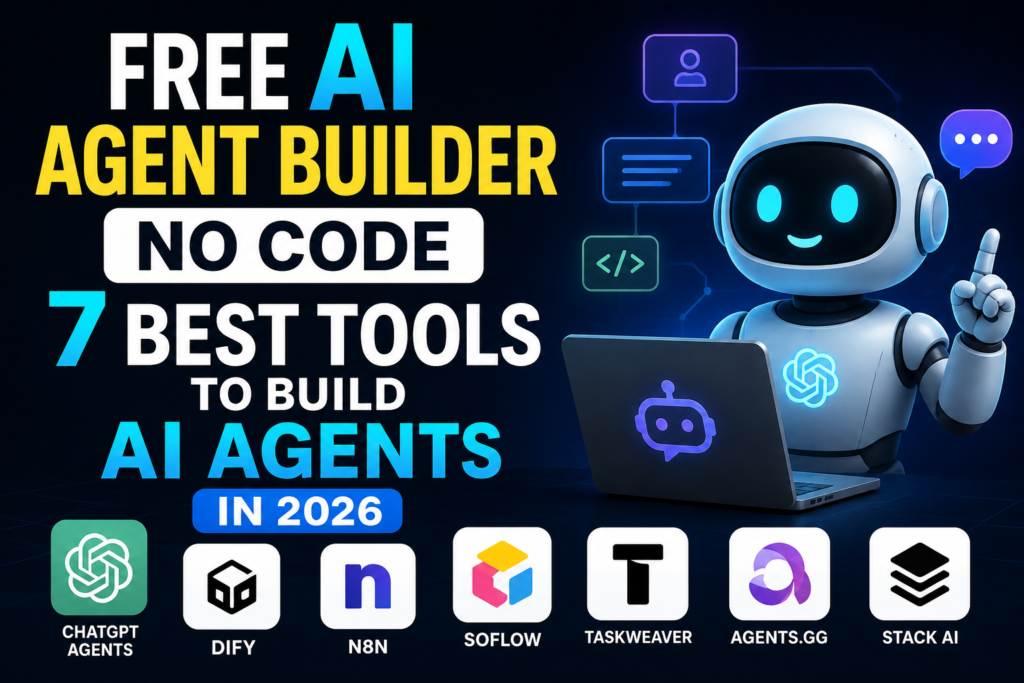
Artificial intelligence is changing how people work, manage businesses, and complete everyday tasks. One of the most interesting developments in 2026 is the growth of AI agents. Unlike traditional chatbots, AI agents can understand instructions, make decisions, connect with different applications, and complete multiple tasks automatically.
The best part is that you no longer need programming experience to create them. A free AI agent builder no code platform allows beginners, freelancers, entrepreneurs, and small businesses to develop intelligent assistants using visual tools and simple instructions.
These platforms make AI automation more accessible than ever. You can create an AI customer support assistant, automate repetitive office work, organize information, or build an agent that helps manage business operations.
In this guide, we explore seven useful AI agent builders, their features, benefits, and how beginners can start building their first AI agent without writing code.
What Is a No-Code AI Agent Builder?
A no-code AI agent builder is a platform that allows users to create artificial intelligence agents without manually writing programming code.
Instead of developing software from scratch, users work with visual interfaces, drag-and-drop components, ready-made templates, and natural-language instructions.
An AI agent can perform tasks such as:
- Answering customer questions.
- Organizing business information.
- Collecting and analyzing data.
- Sending automated notifications.
- Managing repetitive workflows.
- Helping users find information.
- Connecting different business applications.
For example, an online store can use an AI agent to answer common product questions, explain delivery policies, and direct customers to the correct support channel.
The agent follows its instructions and uses connected tools when necessary.
7 Best Free AI Agent Builder No Code Tools in 2026
Choosing the right platform depends on your experience, project requirements, and available budget. Here are seven platforms worth exploring in 2026.
1. MindStudio
MindStudio is a platform designed to help users create AI-powered applications and agents without traditional programming.
Its visual development environment makes it useful for people who want to experiment with AI automation and create specialized assistants.
Key Features:
- Visual AI agent development.
- Support for different AI models.
- Custom instructions and workflows.
- Integration with external services.
- Tools for creating specialized AI applications.
MindStudio is particularly useful for freelancers and entrepreneurs who want to build AI assistants for specific business tasks.
Its free offering includes limited usage, so users should check model-related costs and current plan restrictions before starting a larger project.
2. Zapier Agents
Zapier Agents helps users create AI agents that work with applications and business tools.
Zapier is already known for connecting different applications. Its agent functionality adds AI-powered decision-making to automation workflows.
For example, an agent could receive information from a connected application, analyze the content, and help perform the next step.
Key Features:
- Connections with thousands of applications.
- AI-powered workflow automation.
- Visual automation tools.
- Business task management.
- Automated information processing.
Zapier Agents is a strong option for beginners who want to connect their existing business applications without building complicated software.
The free plan has activity limits, making it more suitable for testing and smaller projects.
3. Botpress
Botpress is a popular platform for creating AI-powered conversational agents.
It is particularly useful for website owners, customer support teams, and businesses that want to provide automated assistance to visitors.
Users can create agents that understand questions, search connected knowledge sources, and provide relevant answers.
Key Features:
- Visual conversation builder.
- AI-powered customer support.
- Knowledge base integration.
- Website chatbot deployment.
- Custom conversational workflows.
One practical example is an online business that receives repeated questions about pricing, services, and delivery. A Botpress agent can help answer these questions automatically.
Botpress offers a free entry-level plan with usage restrictions. Check its current conversation limits before launching a public chatbot.
4. Make
Make is a visual automation platform that allows users to connect applications and build advanced workflows.
Its visual interface helps users understand how information moves between different services.
You can create workflows that receive information, process it with AI, and send results to another application.
Key Features:
- Drag-and-drop workflow builder.
- Thousands of application integrations.
- Conditional workflow logic.
- AI-powered automation.
- Data processing and notifications.
For example, a freelancer can create a workflow that collects new customer inquiries, organizes the information, and prepares an automated response.
Make offers a free plan with a limited monthly credit allowance. It is a good starting point for people who want to explore automation without paying immediately.
5. n8n
n8n is an automation platform that gives users significant flexibility when building AI-powered workflows.
Although it offers advanced customization options, its visual workflow editor makes many automation tasks easier to understand.
Users can connect AI models, databases, APIs, and other applications to create more advanced systems.
Key Features:
- Visual workflow automation.
- AI model integrations.
- Custom API connections.
- Self-hosting options.
- Advanced workflow logic.
One important advantage is its self-hosted Community Edition, which is available without a software subscription.
However, users need to manage their own hosting environment. Server expenses and AI model usage charges may still apply.
n8n is especially suitable for users who want greater control over their automation projects.
6. Dify
Dify is an AI application development platform that helps users create AI-powered applications, assistants, and workflows.
Its visual environment supports the development of applications that work with language models and knowledge sources.
Users can build assistants that retrieve information from documents and provide answers based on available information.
Key Features:
- Visual AI workflow development.
- Knowledge base management.
- Language model integrations.
- AI application deployment.
- Agent and chatbot development.
For example, a business can upload useful internal documents and create an assistant that helps employees find relevant information.
Dify provides a limited cloud Sandbox plan and a self-hosted Community Edition. Hosting and model usage costs should be considered when planning a larger project.
7. Activepieces
Activepieces is an automation platform that focuses on connecting applications and simplifying repetitive work.
Its visual interface helps users create automated processes without developing every integration from scratch.
It can also support AI-powered workflows that combine language models with business applications.
Key Features:
- Visual automation builder.
- Application integrations.
- AI-powered workflow capabilities.
- Reusable automation components.
- Open-source self-hosting options.
For example, a marketing freelancer could organize incoming leads, process their information, and send notifications when new opportunities appear.
Activepieces is worth considering for beginners who want a flexible automation environment with an accessible visual interface.
Comparison of the Best Free AI Agent Builders
Here is a quick comparison to help you understand which platform may suit your requirements.
| Platform | Best For | Free Option |
|---|---|---|
| MindStudio | Custom AI agents | Yes, limited |
| Zapier Agents | Business automation | Yes, limited |
| Botpress | Customer support agents | Yes, limited |
| Make | Visual workflows | Yes, limited |
| n8n | Advanced automation | Self-hosted |
| Dify | AI applications | Yes, limited |
| Activepieces | Workflow automation | Yes, limited |
Free-plan availability and limits are based on publicly available information checked in November 2026. Features, pricing, and usage allowances can change.
How to Build an AI Agent Without Coding
Creating your first AI agent is easier when you follow a simple process.
Step 1: Choose an AI Agent Builder
Start by selecting a platform that matches your project. Beginners can explore MindStudio, Botpress, or Zapier Agents.
Step 2: Define Your Agent’s Purpose
Decide what you want the agent to accomplish.
For example, you might want an assistant that answers customer questions, organizes emails, or helps generate business reports.
Step 3: Write Clear Instructions
Explain the agent’s role, responsibilities, and limitations.
A customer support agent should understand what information it can provide and when it should send a question to a human employee.
Step 4: Connect Knowledge and Tools
Some agents need access to documents, databases, or external applications.
Connect only the services necessary for the task and provide the minimum permissions required.
Step 5: Test Your Agent
Ask different questions and test different situations.
Check whether the agent follows instructions, produces accurate answers, and handles unexpected requests appropriately.
Step 6: Launch and Improve
After testing, make your agent available through its supported platform or integration.
Review its performance regularly and improve its instructions when necessary.
Benefits of Using a Free No-Code AI Agent Builder
No-code AI development provides several advantages for individuals and businesses.
1. No Programming Experience Required
Beginners can create useful AI assistants through visual tools and simple instructions.
2. Saves Time
AI agents can help handle repetitive tasks, allowing users to focus on more important responsibilities.
3. Affordable Experimentation
Free plans make it possible to explore AI automation before investing in expensive software.
4. Business Productivity
Small businesses can use agents for customer communication, information management, and internal processes.
5. Flexible Applications
Depending on the platform, users can create assistants for marketing, education, research, customer service, and administration.
Common Mistakes to Avoid When Building AI Agents
Building an AI agent does not automatically guarantee accurate results. Beginners should avoid several common mistakes.
- Unclear instructions: Give your agent a specific role and clear responsibilities.
- Too many permissions: Do not connect unnecessary applications or provide excessive access.
- Skipping testing: Always test important workflows before using them with real customers.
- Ignoring costs: Free builders may still charge for AI model usage, hosting, or additional executions.
- Expecting perfect answers: AI agents can misunderstand requests or produce incorrect information.
- No human supervision: Important financial, legal, and customer decisions should have suitable human oversight.
A small, carefully tested agent is often more useful than a complicated system with too many responsibilities.
Frequently Asked Questions (FAQs)
1. What Is the Best Free AI Agent Builder No Code?
There is no single best option for everyone. Botpress is useful for conversational agents, Make is suitable for visual automation, and MindStudio is worth exploring for custom AI agents.
2. Can I Build an AI Agent Without Programming?
Yes. Platforms such as Botpress, MindStudio, Zapier Agents, and Make provide visual interfaces and natural-language tools that help beginners build AI-powered systems.
3. Are Free AI Agent Builders Really Free?
Some platforms offer ongoing free plans, while others provide limited credits or self-hosted software. AI model usage, hosting, and advanced integrations may involve additional costs.
4. Can AI Agents Automate Business Tasks?
Yes. Depending on their integrations and permissions, AI agents can help process information, answer questions, organize leads, and automate repetitive business workflows.
5. Which AI Agent Builder Is Best for Beginners?
Botpress, MindStudio, and Make are useful starting points. Your choice should depend on whether you want a chatbot, a custom AI assistant, or an automated workflow.
6. Can I Use AI Agents for Freelancing?
Yes. Freelancers can use AI agents to organize customer inquiries, prepare research summaries, manage repetitive tasks, and support marketing activities.
7. Do AI Agents Need Human Supervision?
Yes. Human supervision is important, especially when agents handle customer information, financial decisions, sensitive data, or important business operations.
Final Thoughts
A free AI agent builder no code platform makes artificial intelligence more accessible to people who do not have programming experience. In 2026, tools such as MindStudio, Zapier Agents, Botpress, Make, n8n, Dify, and Activepieces provide different ways to create intelligent assistants and automate everyday tasks.
The best approach is to start with one simple problem, select a suitable platform, and build an agent around a clearly defined goal.
Whether you are a freelancer, student, entrepreneur, or small business owner, no-code AI agents can help reduce repetitive work and improve productivity.