Best AI Coding Tools 2026 10 Powerful Tools 2026
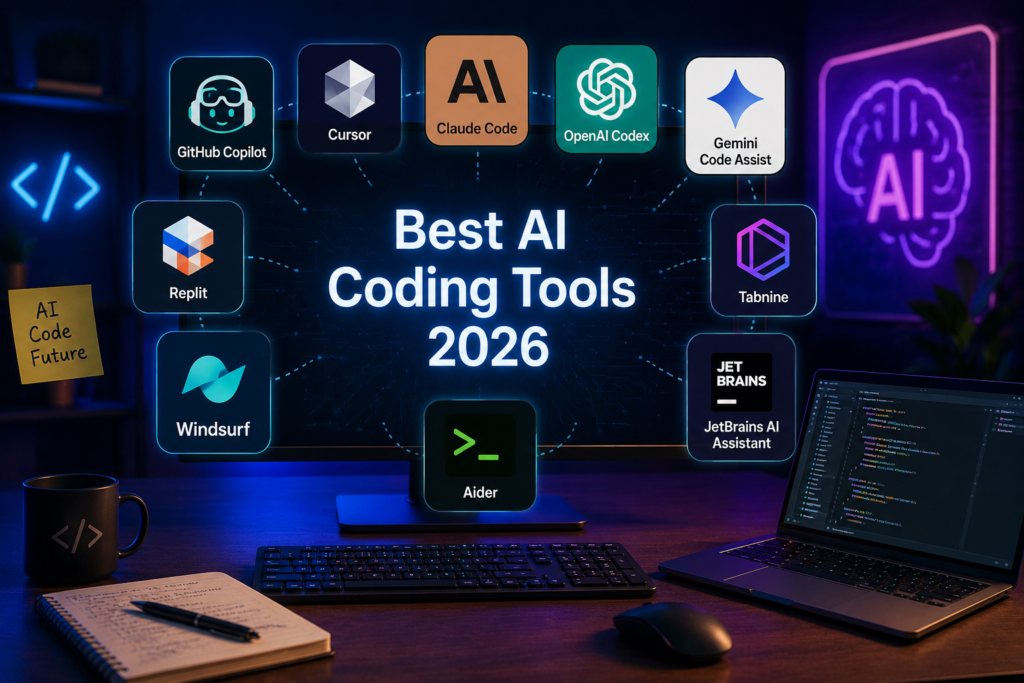
Artificial intelligence is transforming the software development industry. Developers no longer need to write every line of code manually because AI-powered coding assistants can help generate code, identify errors, explain programming concepts, and improve development workflows.
In 2026, AI coding tools have become useful for professional developers, students, freelancers, and beginners who want to learn programming. These tools can reduce repetitive work, support debugging, and help users build software applications more efficiently.
Finding the best AI coding tools 2026 depends on your programming experience, project requirements, and preferred development environment. Some tools are designed for code completion, while others can understand entire projects and assist with complex development tasks.
In this article, we will explore 10 popular AI coding tools, their features, advantages, and practical uses.
What Are AI Coding Tools?
AI coding tools are software applications that use artificial intelligence to assist with programming and software development.
They analyze instructions, understand programming languages, generate code suggestions, and help developers solve technical problems.
Common features include:
- Automatic code generation.
- Bug detection and debugging assistance.
- Code explanation and documentation.
- Programming language support.
- Code completion and suggestions.
- Application development assistance.
- Code optimization and refactoring.
These tools can make programming more accessible, especially for people who are learning to develop their first applications.
10 Best AI Coding Tools 2026
Here are some popular AI-powered tools that developers can explore in 2026.
1. GitHub Copilot
GitHub Copilot is one of the most recognized AI coding assistants. It helps developers write code through intelligent suggestions and conversational assistance.
It integrates with popular development environments and supports several programming languages.
Key Features:
- AI-powered code completion.
- Code explanations.
- Programming suggestions.
- Debugging assistance.
- Agent-based development workflows.
GitHub Copilot is particularly useful for developers who already work with GitHub and want AI assistance within their existing development process.
Website: https://github.com/features/copilot
2. Cursor
Cursor is an AI-powered code editor designed to make software development faster and more convenient.
It helps developers understand codebases, generate new code, edit multiple files, and work on programming projects through AI-assisted workflows.
Key Features:
- Intelligent code completion.
- AI-powered editing.
- Codebase understanding.
- Multi-file changes.
- Agent-based coding assistance.
Cursor is a strong option for developers who want an AI-focused editing experience.
Website: https://cursor.com/
3. Claude Code
Claude Code is an AI coding agent developed by Anthropic. It helps developers work with code directly through terminal-based workflows and supported development environments.
It can analyze project files, suggest solutions, edit code, and assist with debugging.
Key Features:
- Understands project structures.
- Helps modify multiple files.
- Assists with debugging.
- Generates and explains code.
- Supports complex development tasks.
Claude Code is particularly useful for developers who want an AI assistant that can work with larger programming projects.
Website: https://claude.ai/
4. OpenAI Codex
OpenAI Codex is an AI-powered coding tool that helps developers create, understand, and modify software.
It can assist with programming tasks, code reviews, debugging, and working through development projects. Depending on the available workflow, developers can delegate tasks to coding agents.
Key Features:
- Code generation.
- Programming assistance.
- Bug fixing.
- Code review support.
- Agent-based coding workflows.
Codex is worth exploring for developers who want AI assistance across different stages of software development.
Website: https://openai.com/codex/
5. Google Gemini Code Assist
Google Gemini Code Assist helps developers write, understand, and improve code using Google’s AI technology.
It provides programming suggestions and conversational assistance within supported development environments.
Key Features:
- Code generation.
- Code completion.
- Programming explanations.
- Debugging support.
- Integration with development workflows.
It can be useful for beginners and experienced developers who want AI support while writing software.
Website: https://codeassist.google/
6. Replit
Replit is an online development platform that allows users to create and run applications in a browser.
Its AI features help users generate code, understand programming problems, and develop applications without setting up a traditional local development environment.
Key Features:
- Browser-based coding.
- AI application development.
- Code generation.
- Project collaboration.
- Application deployment options.
Replit is especially useful for students, beginners, and people who want to experiment with software development.
Website: https://replit.com/
7. Windsurf
Windsurf developed an AI-focused coding environment designed to help developers work more efficiently with intelligent assistance.
Its agent-based features support coding tasks, project understanding, and multi-file development workflows. The product is evolving under the Devin brand, so users should check its current offerings.
Key Features:
- AI-powered code editing.
- Project understanding.
- Coding assistance.
- Multi-file editing.
- Agent-driven workflows.
It is worth considering for developers interested in AI-assisted software development.
Website: https://windsurf.com/
8. Tabnine
Tabnine is an AI coding assistant focused on helping developers improve their programming workflow.
It offers code completion and AI assistance while supporting development teams with different privacy and deployment requirements.
Key Features:
- AI code completion.
- Code suggestions.
- Programming assistance.
- Team-focused features.
- Privacy-oriented deployment options.
Tabnine can be a useful choice for organizations that want AI assistance with additional control over their development environment.
Website: https://www.tabnine.com/
9. JetBrains AI Assistant
JetBrains AI Assistant provides AI-powered support within JetBrains development environments.
It helps developers understand code, generate programming suggestions, explain complex functions, and improve their development process.
Key Features:
- Code explanations.
- AI-assisted programming.
- Documentation generation.
- Code improvement suggestions.
- IDE integration.
It is particularly relevant for developers who regularly use products such as IntelliJ IDEA and PyCharm.
Website: https://www.jetbrains.com/ai/
10. Aider
Aider is an AI-powered coding assistant that works through a terminal-based workflow.
It helps developers modify existing projects, generate code, and manage changes while working with Git.
Key Features:
- AI-assisted code editing.
- Git integration.
- Multi-file modifications.
- Terminal-based workflow.
- Support for different AI models.
Aider is a useful option for developers who prefer command-line tools and want more flexibility in their coding workflow.
Website: https://aider.chat/
Comparison of the Best AI Coding Tools 2026
The following table provides a quick comparison of these tools and their primary uses.
| AI Coding Tool | Best For | Main Benefit |
|---|---|---|
| GitHub Copilot | Developers | Code completion |
| Cursor | Software developers | AI-powered editing |
| Claude Code | Complex projects | Project-level coding |
| OpenAI Codex | Programming tasks | AI coding agents |
| Gemini Code Assist | Developers | Code assistance |
| Replit | Beginners | Browser-based development |
| Windsurf | AI-assisted editing | Agent workflows |
| Tabnine | Development teams | Privacy-focused assistance |
| JetBrains AI | IDE users | Integrated AI support |
| Aider | Experienced developers | Terminal-based editing |
How to Choose the Right AI Coding Tool
Choosing the right coding assistant depends on your experience and project requirements.
For Beginners: Replit and GitHub Copilot can provide accessible ways to start learning programming.
For Professional Developers: Cursor and Claude Code offer useful capabilities for working on larger projects.
For Google Users: Gemini Code Assist is worth exploring if you already work with Google’s development ecosystem.
For Large Development Teams: Tabnine and GitHub Copilot provide features that can support team workflows.
For Terminal Users: Aider and Claude Code are useful options for developers who prefer command-line development.
Before purchasing a subscription, compare available features, usage limits, integrations, and privacy policies.
Benefits of Using AI Coding Tools
AI-powered coding assistants offer several advantages for software development.
- Save Time: Generate code suggestions and reduce repetitive programming work.
- Improve Learning: Understand unfamiliar programming concepts through explanations.
- Find Errors: Get assistance identifying bugs and potential coding problems.
- Increase Productivity: Spend more time solving important development challenges.
- Support Creativity: Experiment with new application ideas and programming approaches.
- Simplify Development: Make complicated tasks easier to understand and manage.
However, AI-generated code is not always correct. Developers should test, review, and secure their applications before using them in production.
Why BusinessToClaude.com Is Useful for AI Enthusiasts
BusinessToClaude.com is a resource for readers interested in Claude AI, artificial intelligence, technology, and business applications.
As AI coding technology continues to grow, developers and beginners need reliable information to understand new tools and their practical uses.
BusinessToClaude.com aims to help readers explore AI-powered solutions, discover useful technologies, and understand how artificial intelligence can improve everyday work.
Frequently Asked Questions (FAQs)
1. What are the best AI coding tools in 2026?
Popular options include GitHub Copilot, Cursor, Claude Code, OpenAI Codex, Gemini Code Assist, and Replit. The best choice depends on your programming needs.
2. Can beginners use AI coding tools?
Yes. Beginners can use AI coding assistants to learn programming, understand errors, generate simple code, and practice development skills.
3. Are AI coding tools free?
Some tools provide free plans or limited access, while others offer paid subscriptions. Features and usage limits vary by provider.
4. Can AI coding tools build complete applications?
Some AI coding tools can assist with building substantial applications, but human developers still need to review code, test functionality, and manage security.
5. Will AI replace software developers?
AI can automate certain programming tasks, but human developers remain important for architecture, problem-solving, security, creativity, and technical decision-making.
Conclusion
AI-powered programming assistants are changing how people develop software in 2026. From generating code and fixing errors to building applications and understanding complex projects, these tools offer valuable support for developers at different experience levels.
The best AI coding tools 2026 are not necessarily the same for everyone. GitHub Copilot is useful for integrated coding assistance, Cursor offers an AI-focused editor, Claude Code supports complex coding workflows, and Replit provides an accessible environment for beginners.
Choose a tool that matches your needs, experiment with its features, and always review AI-generated code before using it. With the right approach, AI can become a valuable partner in your software development journey.