Artificial intelligence has changed how creators produce videos, animations, and digital stories. Today, people can generate complete video scenes using text prompts, reference images, and AI-powered editing platforms. However, one major problem still affects many AI video creators: keeping the same character consistent throughout multiple scenes.
For example, imagine creating a short animated story featuring a woman with brown hair, blue eyes, and a red jacket. In the first scene, the character looks perfect, but in the next scene, her facial features, hairstyle, or clothing may suddenly change. This can make the final video look unprofessional and confusing.
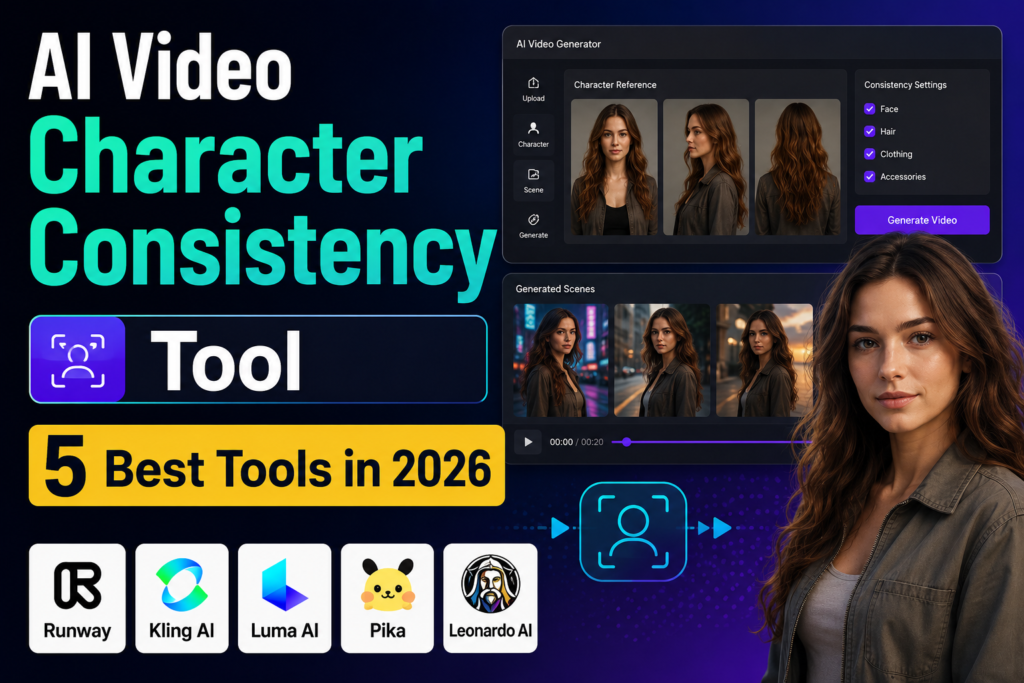
An AI video character consistency tool helps solve this challenge by maintaining important character details across different generated scenes. These tools use reference images, image-to-video technology, character models, and advanced generation controls to create more consistent visual results.
In 2026, AI video technology offers better options for character references, scene generation, and visual storytelling. Whether you create animated films, marketing videos, YouTube content, or short stories, choosing the right platform can improve your production workflow.
In this article, we explore seven useful AI tools, their features, advantages, limitations, and practical applications.
What Is an AI Video Character Consistency Tool?
An AI video character consistency tool is a platform or software feature designed to maintain the appearance of a character across multiple images or video scenes.
It helps preserve visual details such as:
- Facial structure and appearance.
- Hair color and hairstyle.
- Clothing and accessories.
- Body proportions.
- Character age and general design.
- Overall artistic style.
These systems may use reference images, character identity features, image generation models, or reusable visual assets.
For example, a creator can upload a character reference image and use it to guide the appearance of that character in several different scenes.
An AI video character consistency tool is especially useful for creators who want to produce longer stories instead of disconnected AI-generated clips.
7 Best AI Video Character Consistency Tools in 2026
Different AI platforms offer different methods for maintaining character identity. Some focus on reference images, while others provide more advanced video generation and editing capabilities.
1. Runway – Best for Professional AI Video Creation
Runway is a popular AI-powered creative platform that provides video generation and editing tools. It is useful for filmmakers, content creators, and digital artists who want more control over AI-generated visuals.
Its video generation workflows can help users create scenes from text prompts and visual references, depending on the available model and features.
Key Features:
- AI video generation.
- Image-to-video workflows.
- Visual reference support.
- Creative editing tools.
- Motion and scene generation.
- Advanced video production features.
Why Choose Runway?
Runway is useful for creators who want to develop cinematic scenes with AI. Reference-based workflows can help guide the appearance of subjects across different generations.
For example, a filmmaker can prepare a character reference image and use it when creating different scenes for a short video.
However, perfect character identity is not guaranteed. Results still depend on the model, prompt, reference quality, and scene complexity.
Website: https://runwayml.com/
2. Kling AI – Best for Realistic Character Videos
Kling AI is an AI video generation platform known for creating realistic motion and visual scenes.
It supports text-to-video and image-to-video workflows, allowing creators to animate images and generate video content.
Key Features:
- Text-to-video generation.
- Image-to-video generation.
- Realistic character movement.
- Visual reference workflows.
- Cinematic video generation.
- Creative motion controls.
Why Choose Kling AI?
Kling AI can be useful when you want to animate a character from a reference image.
For example, you can create a character portrait and use it as the starting point for a video scene. This approach can help maintain important visual characteristics.
Its results may vary between generations, particularly when characters change clothing, camera angles, or environments.
Website: https://klingai.com/
3. Luma AI – Best for Creative Video Generation
Luma AI offers AI-powered video and visual generation tools for creators who want to produce cinematic content.
Its video generation capabilities can transform visual ideas into moving scenes, helping creators experiment with different environments and storytelling styles.
Key Features:
- AI video generation.
- Image-based video creation.
- Cinematic visual effects.
- Scene generation.
- Creative motion.
- Reference-driven workflows where supported.
Why Choose Luma AI?
Luma AI is worth exploring for creators who want visually attractive video scenes.
A creator can start with a character image and generate different visual moments, using reference-based workflows where available.
It is important to review each generated scene because character appearance can still change between generations.
Website: https://lumalabs.ai/
4. Pika – Best for Short AI Character Videos
Pika is an AI video generation platform designed for creating short and creative videos.
It allows users to transform images and text prompts into moving scenes, making it useful for social media content, animations, and experimental storytelling.
Key Features:
- Text-to-video generation.
- Image-to-video creation.
- Creative video effects.
- Character animation.
- Short-form video generation.
- Easy creative workflows.
Why Choose Pika?
Pika is suitable for beginners who want to experiment with AI-generated characters.
You can prepare a character image and use it as a reference for creating short video clips.
Although it offers creative possibilities, users should check character details carefully when combining multiple scenes into one video.
Website: https://pika.art/
5. Leonardo AI – Best for Consistent Character Images
Leonardo AI is a creative platform that helps users generate images, characters, and digital artwork.
Its image generation and reference-based features can help creators establish a consistent character design before turning that character into a video.
Key Features:
- AI image generation.
- Character reference features.
- Image editing.
- Style control.
- Custom visual assets.
- Creative image workflows.
Why Choose Leonardo AI?
Leonardo AI is particularly useful during the character design stage.
For example, you can create a character sheet showing the same character from different angles and in different poses.
These images can then be used as visual references in compatible video generation tools.
This approach can make it easier to maintain a recognizable character throughout a larger project.
Website: https://leonardo.ai/
6. HeyGen – Best for Consistent AI Presenters
HeyGen is an AI video creation platform focused on digital presenters, avatars, and professional communication videos.
It helps users create videos featuring virtual presenters without recording every scene manually.
Key Features:
- AI avatars.
- Digital presenter creation.
- Script-to-video workflows.
- Multiple language options.
- Voice generation.
- Lip synchronization.
Why Choose HeyGen?
HeyGen is useful for businesses, educators, and creators who want to use the same digital presenter in multiple videos.
For example, a company can create an AI presenter to introduce different products, explain services, or deliver educational content.
Its avatar-based approach is particularly useful for presenter consistency, although it is different from maintaining characters in complex cinematic stories.
Website: https://www.heygen.com/
7. Adobe Firefly – Best for Creative Control
Adobe Firefly provides AI-powered creative tools for generating and editing visual content.
It can support creators who want to develop character concepts, prepare reference images, and produce visual assets for larger video projects.
Key Features:
- AI image generation.
- Generative editing.
- Visual reference workflows.
- Creative design tools.
- Image customization.
- Integration with Adobe creative workflows.
Why Choose Adobe Firefly?
Adobe Firefly is useful for creators who want to develop polished visual assets before generating videos.
You can create a character design, adjust its appearance, and prepare supporting images for your production workflow.
For advanced video projects, combining consistent reference artwork with a suitable video generation platform can produce better results.
Website: https://www.adobe.com/products/firefly.html
Comparison of the Best AI Character Consistency Tools
| Tool | Best For | Main Strength |
|---|---|---|
| Runway | Professional videos | AI video workflows |
| Kling AI | Realistic motion | Image-to-video |
| Luma AI | Cinematic scenes | Visual generation |
| Pika | Short videos | Creative effects |
| Leonardo AI | Character design | Image references |
| HeyGen | Digital presenters | Avatar consistency |
| Adobe Firefly | Creative assets | Image generation |
The best platform depends on your project. Some tools are more useful for designing characters, while others focus on animation, presenter videos, or complete video production.
How to Maintain the Same Character in AI Videos
Creating consistent characters requires more than simply entering the same prompt repeatedly. A structured workflow can improve the results.
Step 1: Create a Detailed Character Description
Start by writing a clear description of your character.
Include important details such as age range, hairstyle, eye color, clothing, facial features, and body proportions.
For example:
“A young female character with long brown hair, blue eyes, a round face, and a red jacket. Maintain the same facial structure, hairstyle, and clothing throughout the story.”
Step 2: Generate a Reference Image
Create a high-quality character image before generating video scenes.
This image should clearly show the face, hairstyle, clothing, and other important visual details.
Step 3: Create Multiple Character References
Prepare additional images showing your character from different angles.
A front view, side view, and full-body image can help establish a stronger visual identity.
Step 4: Use the Same References
When using an AI video character consistency tool, upload the same approved character references whenever the platform supports them.
Avoid changing important character details between scenes unless the story requires it.
Step 5: Keep Prompts Consistent
Use a reusable character description in every scene prompt.
Only change the actions, camera angles, and backgrounds when necessary.
Step 6: Review Every Generated Scene
Check facial features, hairstyle, clothing, and body proportions before combining clips.
If a scene looks different, regenerate it using clearer references and more specific instructions.
Benefits of Using AI Character Consistency Tools
AI-powered character workflows provide several advantages for digital creators.
1. Better Storytelling
Consistent characters make stories easier to follow. Viewers can recognize the same character across different scenes.
2. Faster Video Production
Reusable character references reduce the need to redesign characters for every scene.
3. Professional Visual Quality
Maintaining similar facial features and clothing can make a video project look more organized and professional.
4. Lower Production Costs
Creators can experiment with digital characters without hiring actors, purchasing filming equipment, or arranging physical locations.
5. More Creative Freedom
AI tools allow creators to place the same character in different environments, situations, and visual styles.
6. Better Content for Social Media
Consistent characters can help build recognizable visual identities for YouTube channels, Instagram pages, and other digital platforms.
Common Problems With AI Character Consistency
Although AI video generation has improved, several challenges remain.
Changing facial features: A character may look slightly different between scenes.
Different clothing: AI systems sometimes modify clothing colors, patterns, or accessories.
Unnatural movement: Some generated videos may contain unusual body movements or facial expressions.
Lighting differences: Changes in lighting can affect how a character appears.
Camera angle problems: Extreme camera angles can make maintaining the same appearance more difficult.
Reference limitations: Not every AI video platform supports the same reference-image features.
Using clear reference images, consistent prompts, and careful scene reviews can reduce these problems.
Best Use Cases for AI Character Consistency Tools
An AI video character consistency tool can support several types of creative projects.
- Animated storytelling: Create short stories with recurring characters.
- YouTube videos: Develop recognizable AI characters for educational and entertainment channels.
- Marketing campaigns: Use a consistent digital presenter across multiple advertisements.
- Social media content: Create recurring characters for Instagram Reels and TikTok.
- Educational videos: Develop animated characters that explain different subjects.
- Game development: Prepare character concepts and visual references for game projects.
- Short films: Generate multiple scenes featuring the same fictional character.
Creators can also combine image generation, video generation, and traditional editing software to develop more complete projects.
Frequently Asked Questions (FAQs)
1. What is the best AI video character consistency tool in 2026?
Runway and Kling AI are worth exploring for video generation, while Leonardo AI and Adobe Firefly can help create character reference images. The best choice depends on your workflow.
2. Can AI keep the same character in multiple videos?
Yes. Reference images, reusable character designs, and consistent prompts can help maintain character identity across multiple scenes. However, perfect consistency is not guaranteed.
3. Can I create consistent AI characters for free?
Some platforms provide free credits or limited free access. However, generation limits, export restrictions, and advanced features may require a subscription.
4. Why does my AI character look different in every scene?
This can happen because of changes in prompts, camera angles, lighting, reference images, and AI generation randomness.
5. Can I use the same AI character for YouTube videos?
Yes. Creators can develop recurring fictional characters for YouTube stories, educational videos, animations, and entertainment content.
6. Are AI character consistency tools suitable for beginners?
Yes. Many platforms offer simple interfaces and image-based workflows that beginners can learn without advanced technical knowledge.
7. Can AI character consistency tools create animated stories?
Yes. By combining character references with video generation and editing tools, creators can produce animated stories containing multiple scenes.
Conclusion
Maintaining the same character throughout an AI-generated video is important for creating professional stories, advertisements, and digital content. Although AI video platforms have improved significantly, character consistency still requires careful planning and visual references.
Choosing the right AI video character consistency tool depends on your creative goals. Runway and Kling AI are useful for video generation, Leonardo AI helps establish character designs, HeyGen supports consistent digital presenters, and Adobe Firefly offers creative image generation capabilities.
Start by creating a detailed character description and a high-quality reference image. Use consistent prompts, review every generated scene, and combine the best clips with editing software.
With the right workflow, creators can produce more recognizable characters, improve video quality, and develop engaging AI-powered stories in 2026.